This is a little something to show how I use the "instant hair" packs. They look ok "out of the box" but I tend to jazz them up a bit and this will show how I do that :)
For this image I use one of the hairs in the Instant Hair 15 pack from the rosity marketplace, but there's probably similar products out there that works the same way.
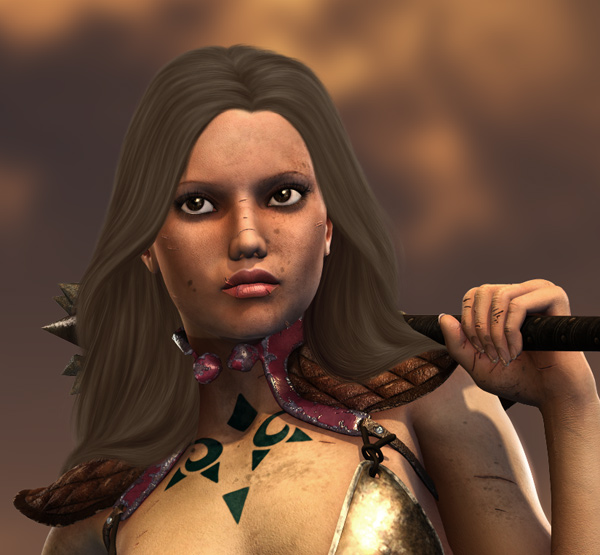
* I start at the point where you have adjusted it to fit your character/pose. For this I use Edit/transform/scale and/or Filter/liquify. I also changed the colour using Image/adjusments/Variations and then desaturating it a bit making it a dull brown colour.
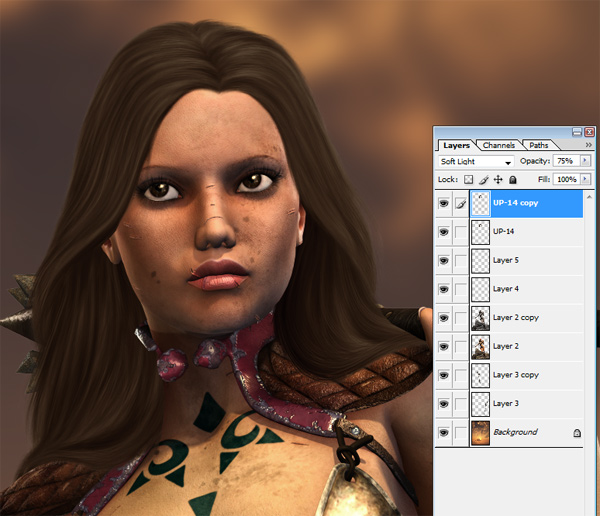
* To give it a bit more contrast and a darker more natural shade I duplicate the hair layer and set the top one to Soft light.
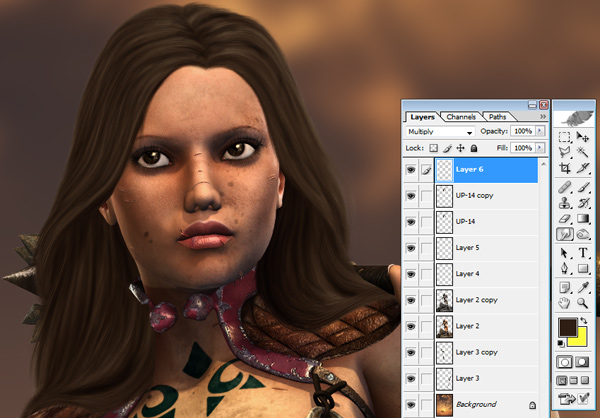
* Now I sample a dark colour from the hair, and on a new layer set to multiply I paint in some more shadows.. not too much, and try to go with the flow of the hair. Then I blur that layer with some Gaussian blur around 1.5-ish.
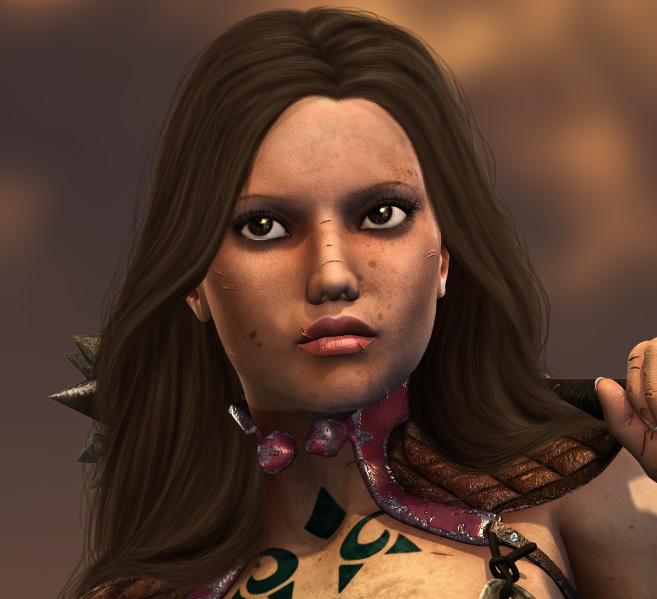
* Now I add some strands of hair around the hair to make it look a little bit less "perfect".
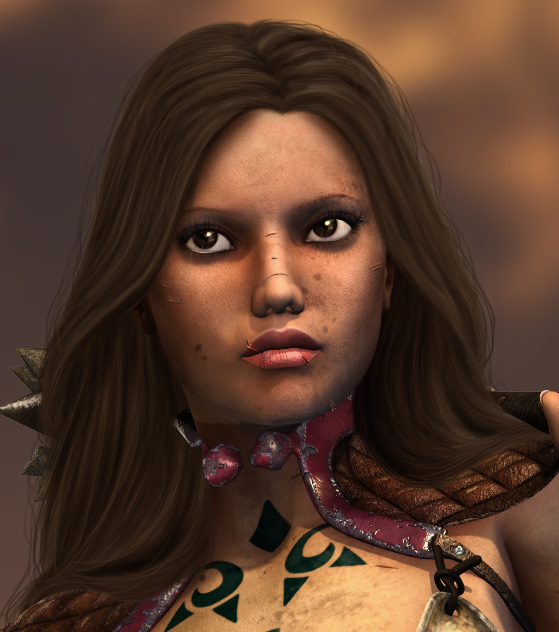
* Now I go under the bottom hair layer and add a new layer there. Set it to multiply and paint with a dark brown colour with a soft brush that's about the same size as her eyes (ie not too big and not too small). Paint around her face to add some shadows from the hair. Then blur with gaussian blur with an ammount that gives the ammount of softness you personally want. I think I ended up using around 3-4ish here.
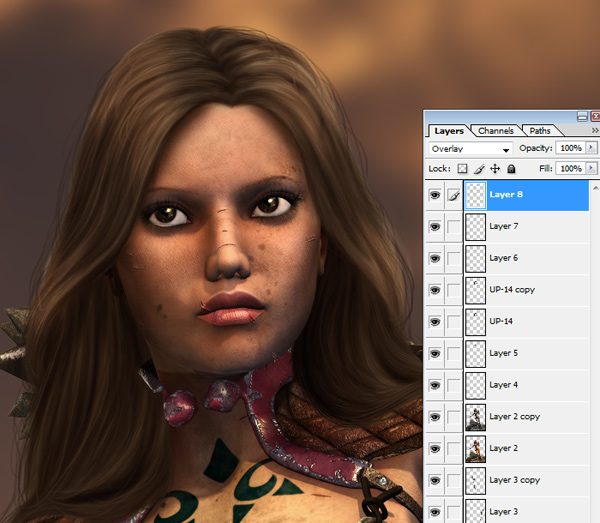
* Time for highlights. These I do using a new layer, a white colour and a soft brush around the same size as we painted the shadows around the face with. Set the layer to Overlay. First I do big soft ones where you would think the hair would have them.
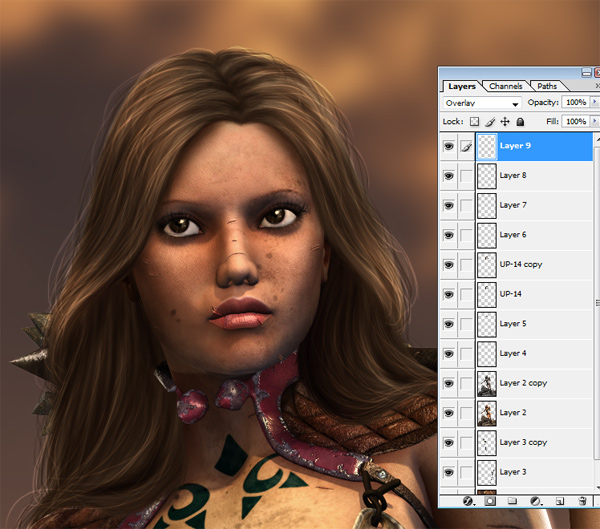
*Next step is doing thinner ones for separate strands. These I did with a 3 pixel brush.
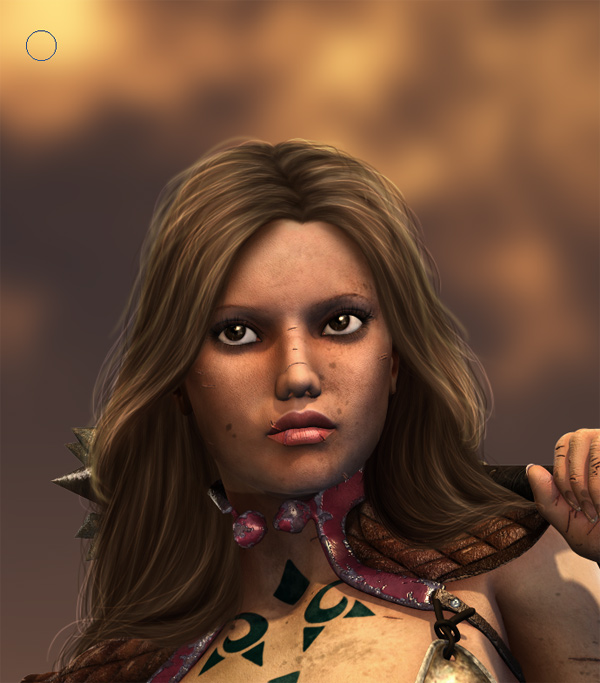
* Then I usually sample a light colour from the background somewhere close to the character and then paint quite thick strands (brush 5-9) around the edge of the hair... Then I blur this layer. This is just to make the hair and background "fit" together more.
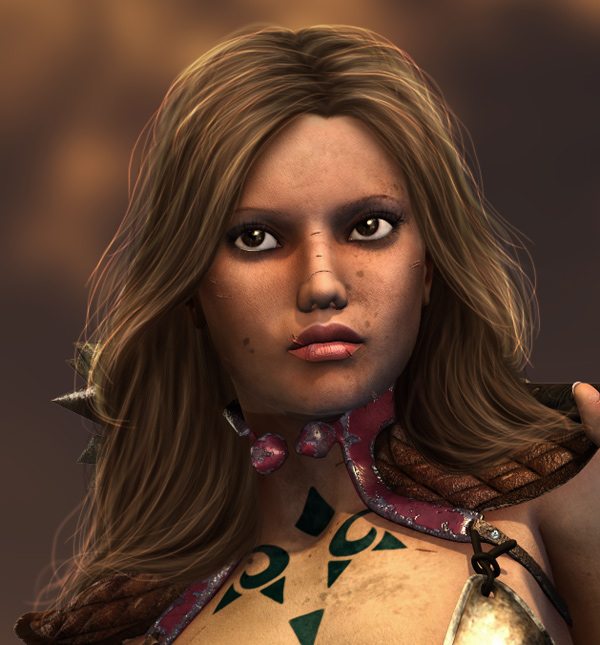
*and then maybe a few more highlights around the edge using a thinner brush again (usually brush 3)
This is just a simple way of adding a bit of life and depth to the pre-painted hair. Hope that this helped and if there's anything you wonder feel free to ask me by PM or email :)
|
